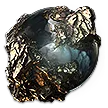
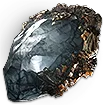
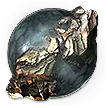
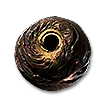
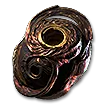
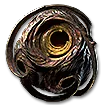
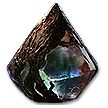
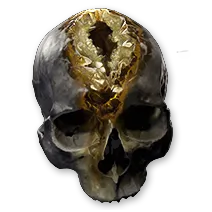
Right-click an Uncut Gem to open Gemcutting. Use an Uncut Skill Gem to create or level an active Skill Gem, an Uncut Support Gem to create a Support Gem, and an Uncut Spirit Gem to create or level a Persistent Skill Gem. The number on a Skill or Spirit Gem is its resulting gem level. The number on an Uncut Support Gem is the highest support tier it can engrave, not a Skill Gem level.
- Keep the Uncut Gem in the character inventory.
- Check its family and level before using it.
- Open the Skills Panel after engraving so the new gem can be socketed or enabled.
Uncut Skill Gems create active skills, Uncut Support Gems create modifiers that socket into a skill, and Uncut Spirit Gems create Persistent skills that usually reserve Spirit. These three item families are not interchangeable.
- Use Skill for an active attack, spell, minion, or other active skill.
- Use Support for a modifier placed under another skill.
- Use Spirit for a Persistent skill that is enabled in the Skills Panel.
DirectoryCompare every current Skill, Support, and Spirit Uncut Gem level.
Uncut GemOpen the first Skill Gem level page and move between all twenty levels.
Uncut GemOpen the first Support Gem tier page and compare all five tiers.
Uncut GemOpen the first Spirit Gem level page and compare all seventeen levels.
Right-click the Uncut Gem to open Gemcutting, then choose a compatible entry. The list is grouped by category and the character's associated category appears first, but the Gemcutting directory should be used to compare the complete selection. A Skill becomes available when the Uncut Skill Gem level meets or exceeds that Skill's Gemcutting tier.
- Use the category tabs or search to find the intended gem.
- Read the exact gem card before confirming.
- Confirm the resulting level or support tier shown by the Uncut Gem.
DirectoryBrowse the game-like Gemcutting selection by Uncut Skill Gem level.
DirectorySearch every current Support Gem and its exact variants.
A higher-level Uncut Skill Gem can raise an existing active Skill Gem to that Uncut Gem's level. Use an Uncut Spirit Gem for an existing Persistent Skill Gem. The upgrade sets the target to the stated level, so do not spend a lower or equal level Uncut Gem expecting an additional level. Support Gems use tiers instead: engrave the required tier and replace the lower-tier Support when the new version is appropriate.
- Match Skill with Skill or Spirit with Spirit.
- Check the existing gem level before spending the Uncut Gem.
- Treat Support tiers separately from active Skill levels.
DirectoryCheck the exact values and requirements at the intended level.
DirectoryCompare tier-specific Support effects before replacing one.
Open the Skills Panel and place a Support Gem into a Support socket under the Skill it should modify. The Support must be compatible with that Skill. A normal Skill begins with two Support sockets and eligible Skill Gems can reach five with Jeweller's Orbs. The Support Finder can show explicit compatibility before a Support is engraved.
- Select the Skill that should receive the Support.
- Use a free Support socket under that Skill.
- Check compatibility and the Support's Attribute requirement.
ToolFind explicitly compatible Supports for any imported Skill variant.
CurrencySet an eligible Skill Gem to three Support sockets.
CurrencySet an eligible Skill Gem to four Support sockets.
CurrencySet an eligible Skill Gem to five Support sockets.
MechanicUnderstand Skill and Support Attribute requirements.
Assign an active Skill to an input before using it. Enable a Persistent Skill in the Skills Panel and make sure enough Spirit remains available for its reservation. Since update 0.3.0, an unmet Attribute requirement on a Support disables that Support rather than the entire Skill. The same update removed the one-copy-per-character Support restriction.
- Assign active Skills to an input.
- Toggle Persistent Skills on and leave enough unreserved Spirit.
- Meet each socketed Support's Strength, Dexterity, or Intelligence requirement.
MechanicPermanent campaign Spirit, equipment sources, and reservation.
MechanicWhy a Skill or Support may be disabled.
GuideKeep equipment Augment Sockets separate from Skill Support sockets.
Support tier is not Skill levelAn Uncut Support Gem's number controls which Support tiers can be engraved. It does not create a level 1 to 20 active Skill Gem.
A higher gem level can raise requirementsCheck the resulting level and Attribute requirements before upgrading. A stronger gem can become unusable until the character meets its new requirements.
Skill sockets and equipment sockets are different systemsSupport Gems go into Skill sockets in the Skills Panel. Runes, Soul Cores, Idols, and other Augments go into equipment sockets.
DirectoryCompare every current Skill, Support, and Spirit Uncut Gem level.
DirectoryCheck the exact values and requirements at the intended level.
DirectoryCompare tier-specific Support effects before replacing one.
ToolFind explicitly compatible Supports for any imported Skill variant.
MechanicPermanent campaign Spirit, equipment sources, and reservation.
MechanicWhy a Skill or Support may be disabled.
Uncut GemOpen the first Skill Gem level page and move between all twenty levels.
Uncut GemOpen the first Support Gem tier page and compare all five tiers.
Uncut GemOpen the first Spirit Gem level page and compare all seventeen levels.
CurrencySet an eligible Skill Gem to three Support sockets.
CurrencySet an eligible Skill Gem to four Support sockets.
CurrencySet an eligible Skill Gem to five Support sockets.
GuideKeep equipment Augment Sockets separate from Skill Support sockets.